






Description
Let AI work on your site — safely
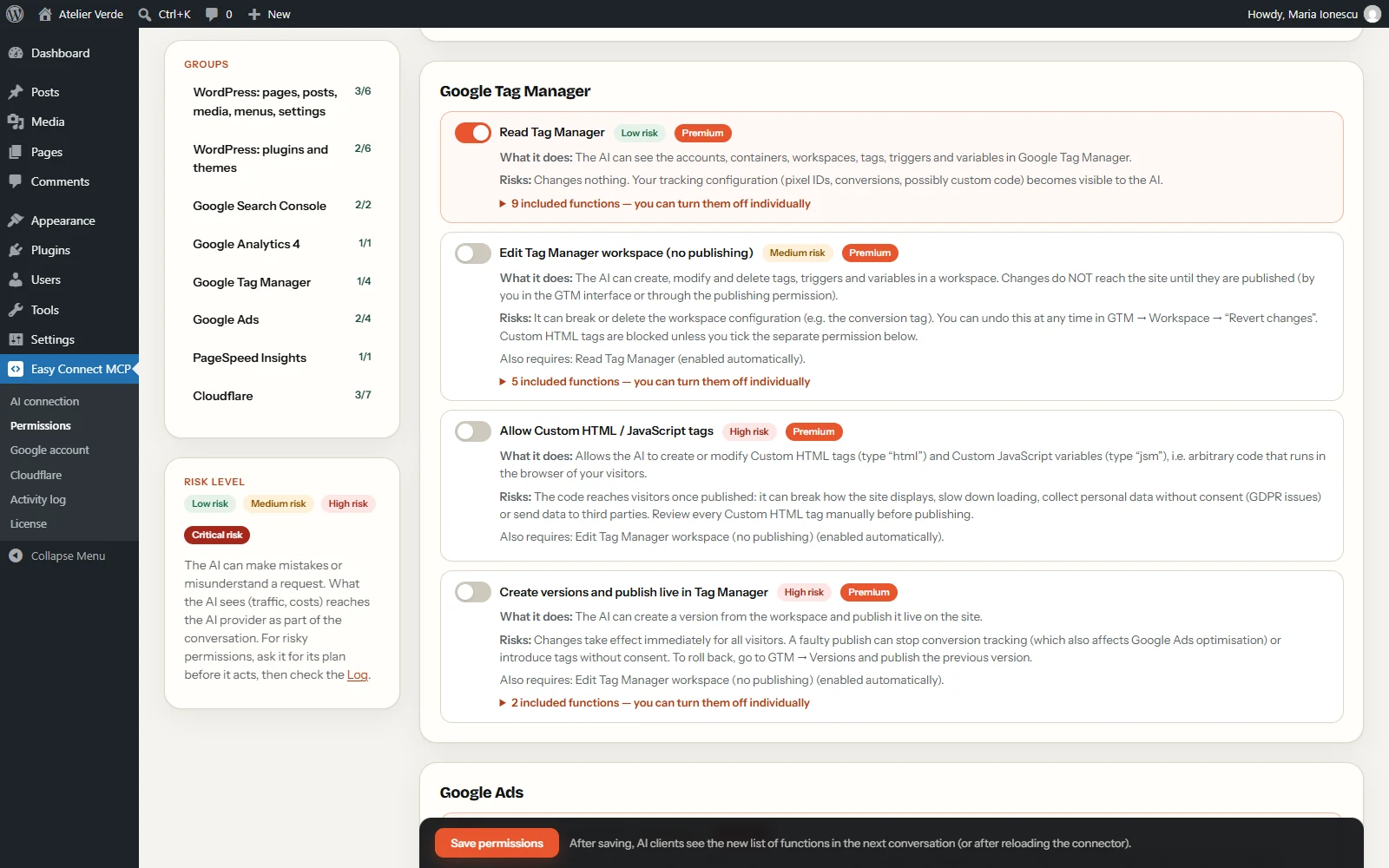
Easy Connect MCP turns your WordPress site into a secure MCP server. Connect Claude, ChatGPT or any other AI assistant that speaks the Model Context Protocol, and it can write and edit your content, read your Search Console and Analytics data, test your speed with PageSpeed Insights and work with Cloudflare — only within the permissions you approve. Every permission is explained in plain language together with its risks, and every action is logged.
How it works
- Install the free plugin on your WordPress site.
- Add your site as a connector in Claude (or your AI app) — one address, no code.
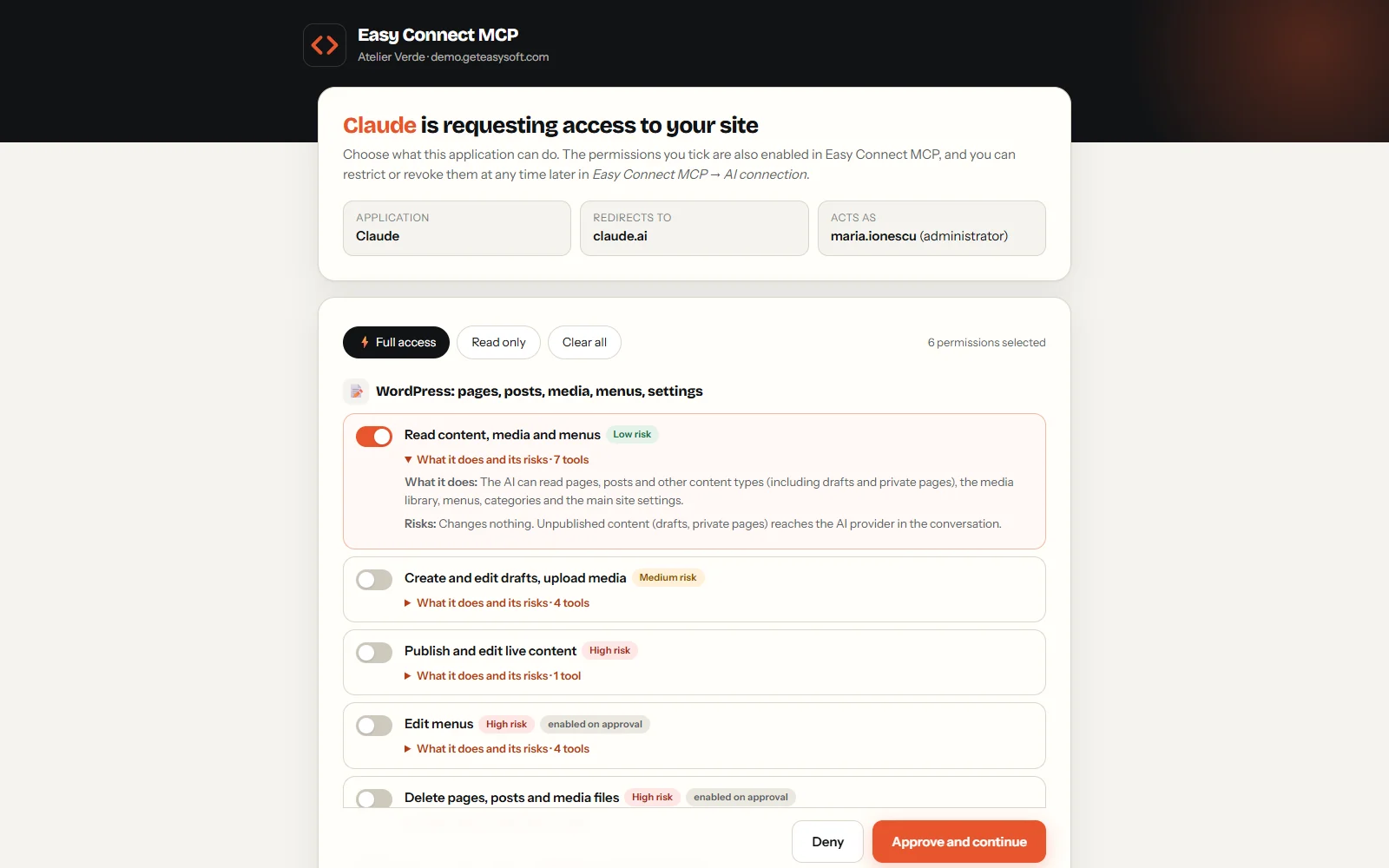
- Approve the permissions on your own site. You can narrow or revoke them at any time.
Just ask your AI
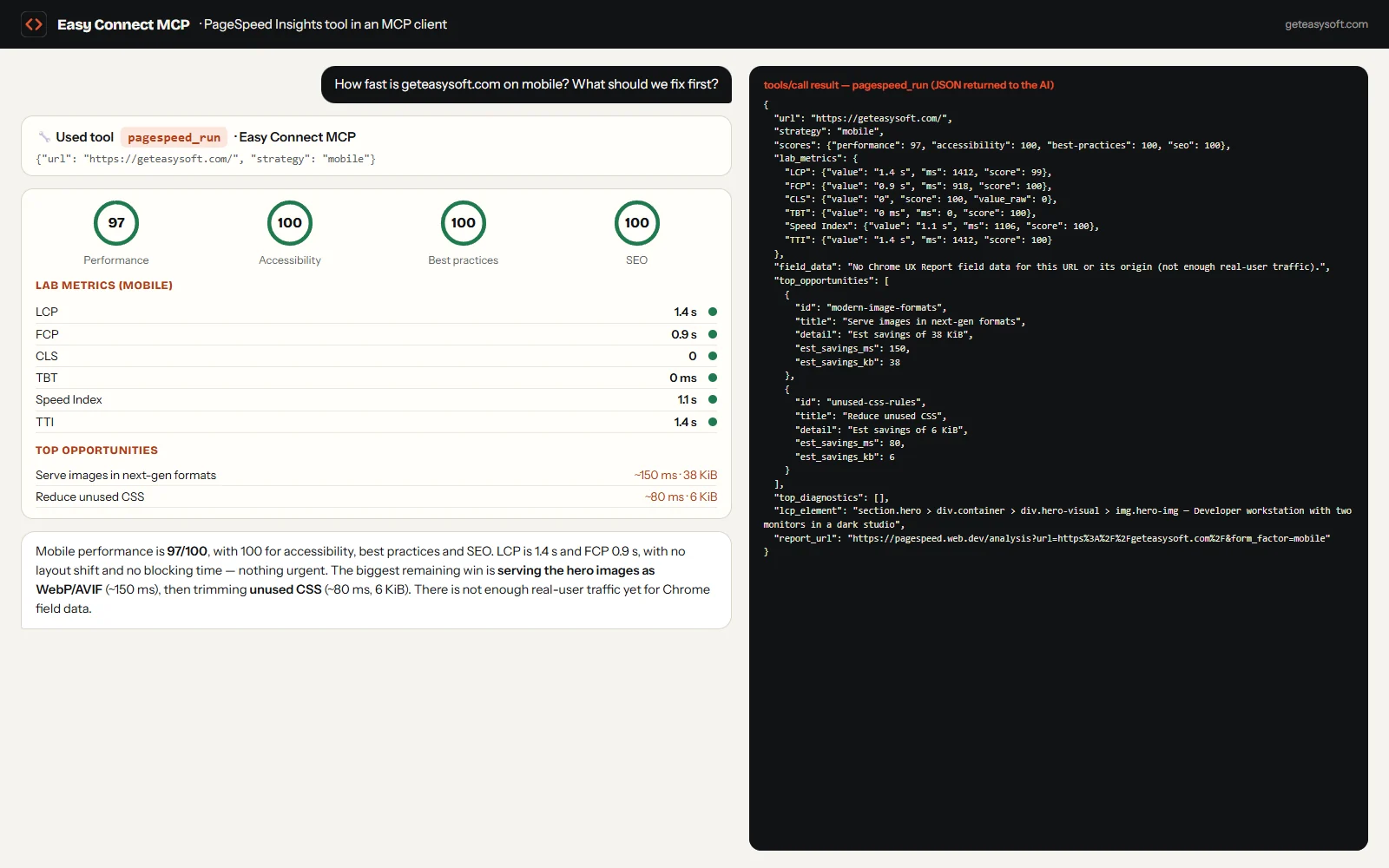
- “How fast is my homepage on mobile, and what should I fix first?”
- “Which pages lost the most clicks in Search Console this month?”
- “Write a draft article about our new service and add a meta description.”
- “Pause the Google Ads campaigns that spent money without conversions this week.” (Premium)
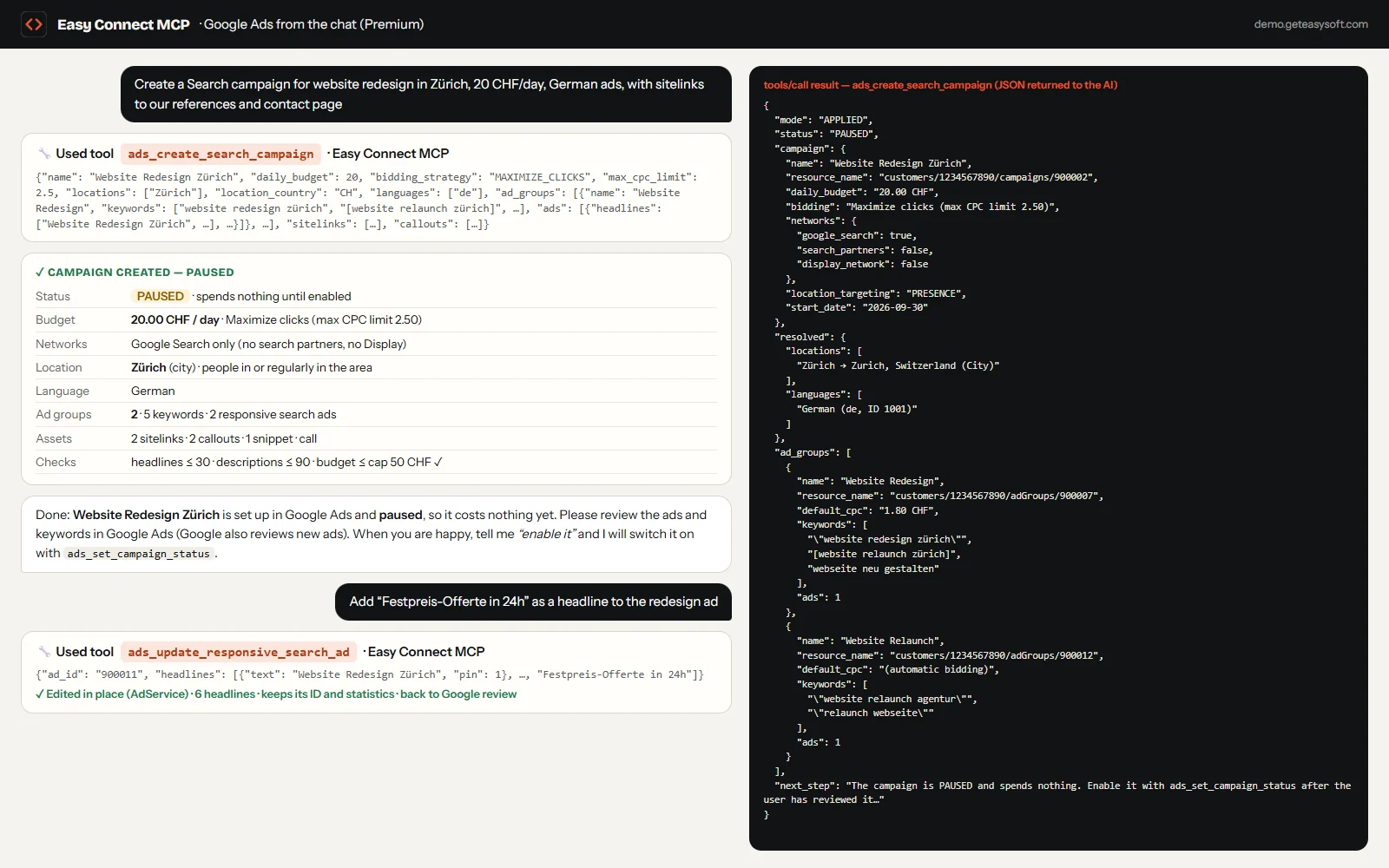
- “Create a Google Ads Search campaign for our redesign service in Zürich, 20 CHF per day, with ads in German.” (Premium)
- “Purge the Cloudflare cache for the pricing page.”
- “Update my theme to the latest release on GitHub and check that the site still works.” (Premium)
Free plugin
- One-click connection from Claude.ai with an authorization screen on your own site (OAuth 2.1)
- Pages, posts and any content type: read, drafts, publishing and scheduling; Rank Math and Yoast SEO fields
- Media, menus and the main site settings
- PageSpeed Insights from the chat: scores, Core Web Vitals, real-user data and the top fixes for any page
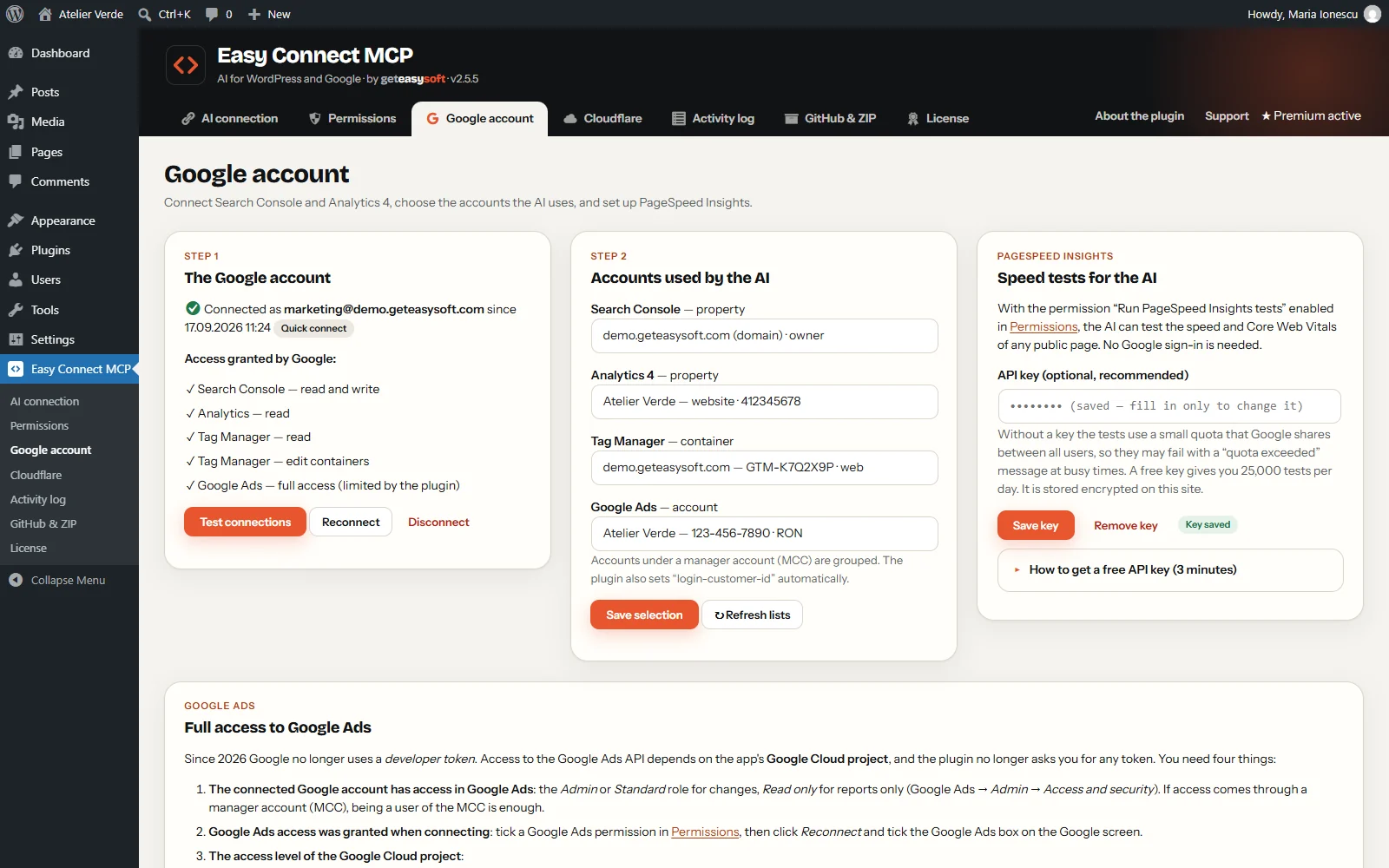
- Google Search Console and Analytics 4 (read), with quick Google sign-in
- Cloudflare: zones, settings, DNS, firewall and traffic statistics, plus cache purging
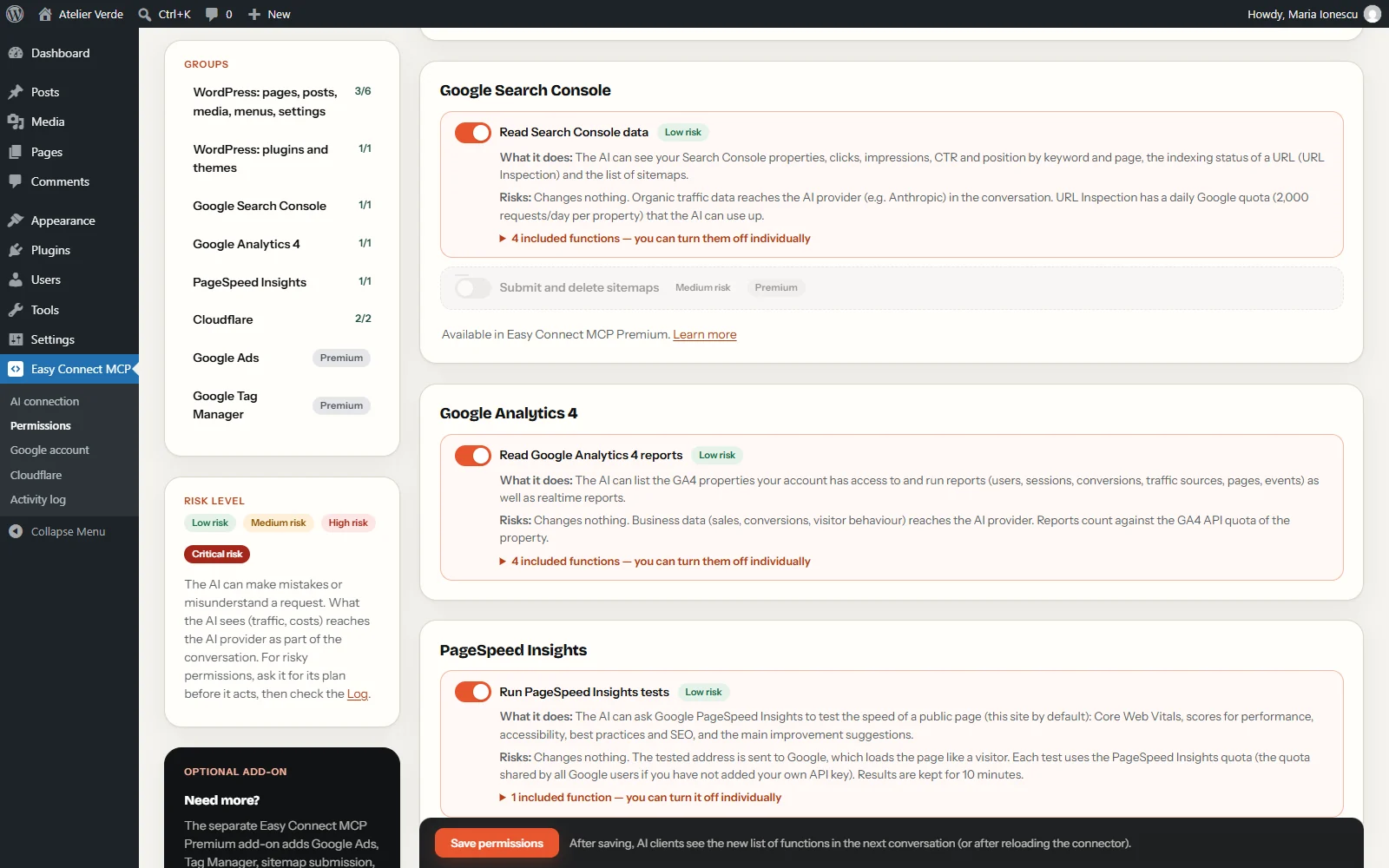
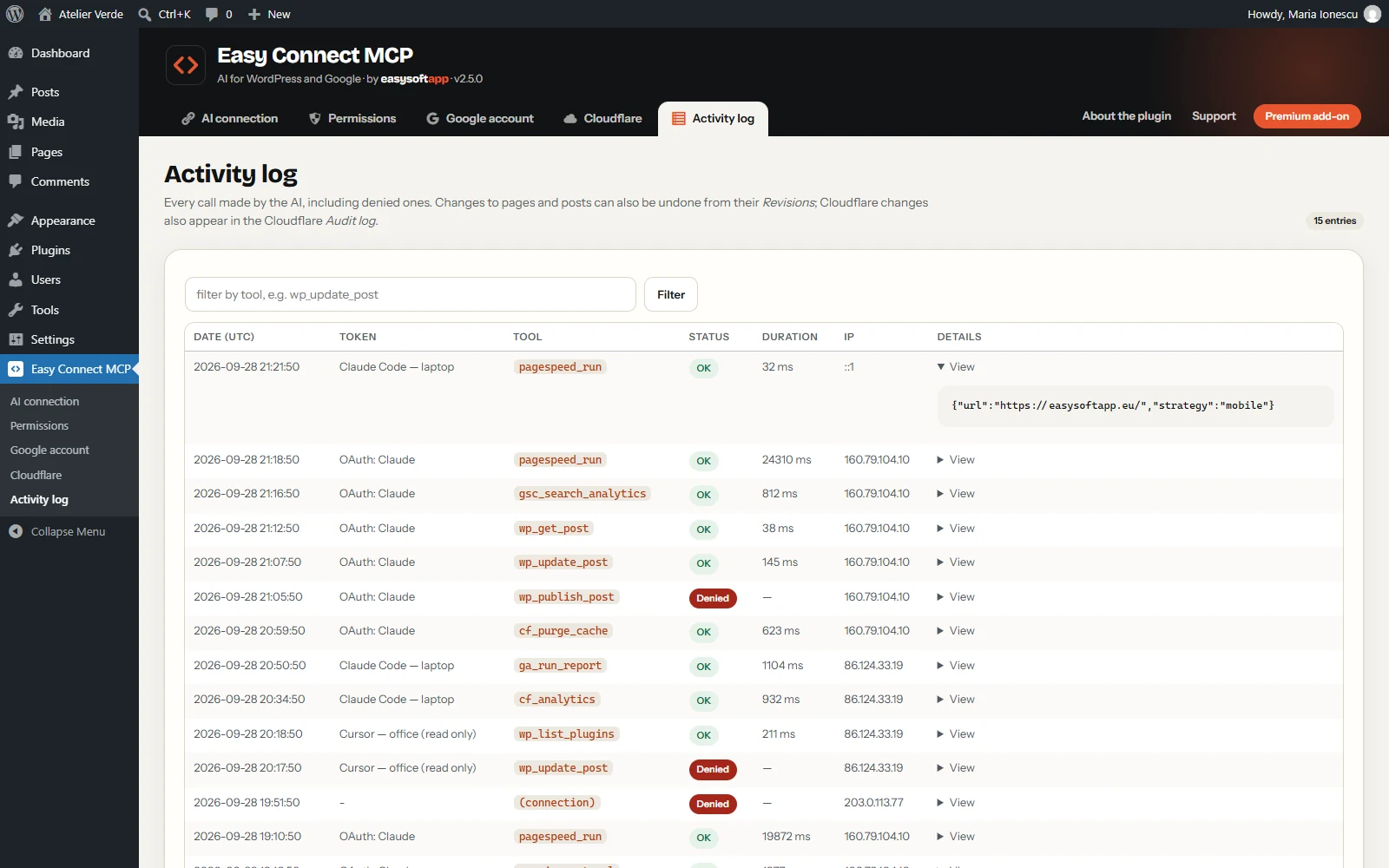
- Activity log and a switch for every single function
Premium add-on (this licence)
- Google Ads: create complete Search campaigns (always paused), write and edit ads, ad groups, keywords and extensions; performance, search terms, budgets and campaign status — with simulation mode, a daily budget cap and a maximum change percentage
- Google Tag Manager: tags, triggers, variables, versions and publishing
- Search Console: submit and delete sitemaps
- Cloudflare changes: speed and cache settings, SSL/TLS, DNS records (with protected records), security level and “I’m Under Attack” mode, IP and country rules, WAF custom rules and Turnstile widgets
- Plugins and themes: activate, install from WordPress.org, update, delete and switch theme, with a list of protected plugins
- One-click updates from your dashboard and priority support
Google Ads from the chat (Premium)
Ask for “a Search campaign for website redesign in Zürich, 20 CHF per day” and your AI sets up the whole campaign in one step: daily budget, bidding strategy, locations and languages, ad groups with keywords, responsive search ads with headlines and descriptions, negative keywords, sitelinks, callouts, structured snippets and call extensions. Later it can rewrite headlines and descriptions, change bids and keyword match types, pause or remove ads and keywords, and add or remove extensions.
- Always paused: new campaigns cost nothing until you switch them on — or allow the AI to do it with a separate permission.
- Simulation mode: Google checks every change without applying it, until you turn simulation off.
- Budget cap: the AI can never set a daily budget above the maximum you define.
- Checked before sending: Google’s limits (30-character headlines, 90-character descriptions, keyword and sitelink lengths) are verified first, and policy messages are explained in plain words.
- Separate permissions and a full log for creating, editing and keyword changes — all off until you enable them.
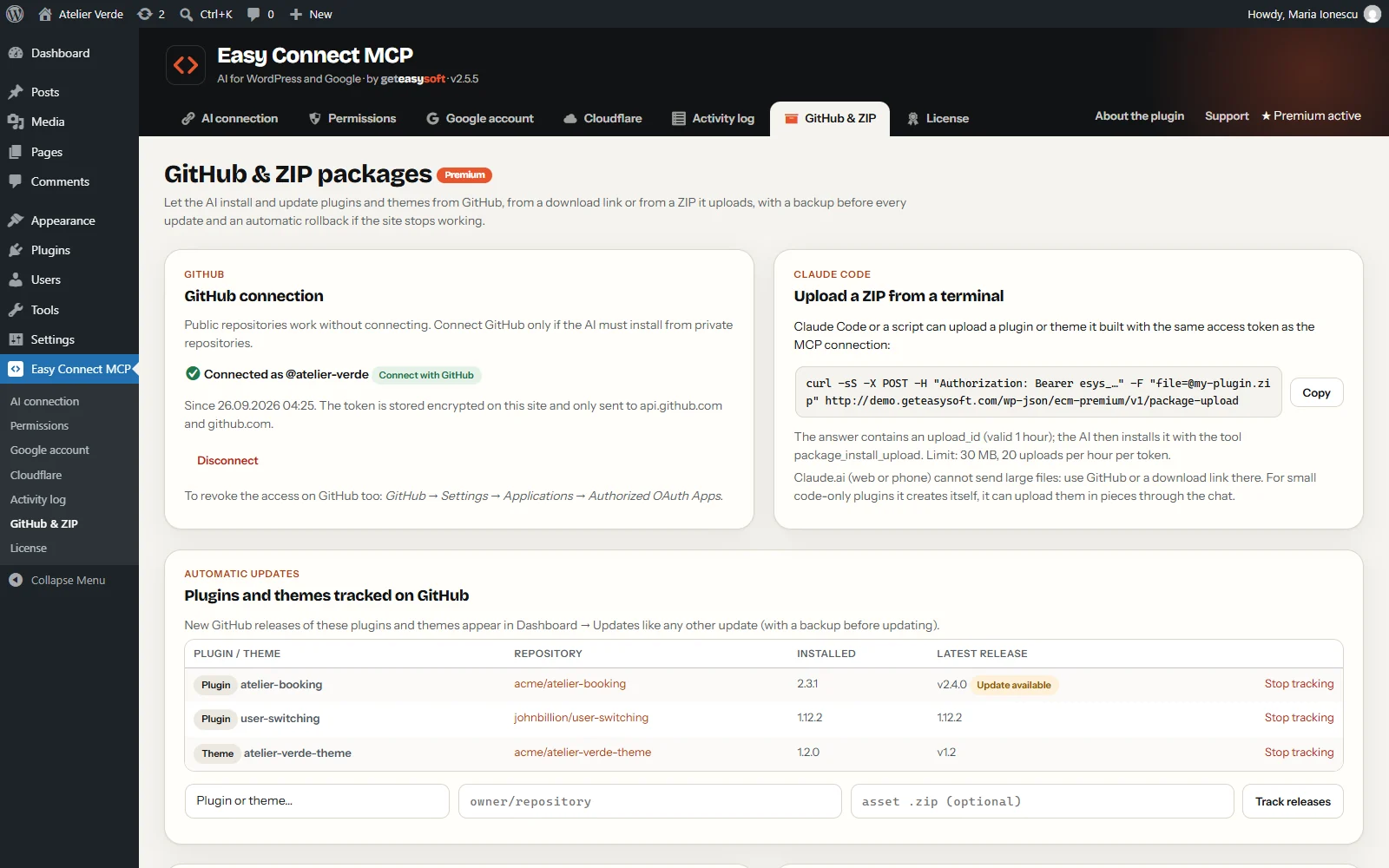
Install and update plugins and themes from the chat (Premium)
Ask your AI to install, update or roll back a plugin or theme — including your own custom ones that are not on WordPress.org:
- From GitHub: “Install my theme from GitHub acme/client-theme, version 1.2, and activate it.” Public and private repositories (connect GitHub once with a short code, or add a read-only token). Mark a package as tracked and every new GitHub release shows up as a normal update in your WordPress dashboard.
- From a link: “Install the plugin from this download link.”
- From a file the AI made: Claude Code uploads the ZIP it just built directly to your site; in the chat app, small packages (up to 2 MB) are sent piece by piece.
Safe by design: a separate permission you must switch on, a backup before every update, and an automatic health check — if the site shows an error after the update, the previous version is restored on its own. Protected plugins can never be replaced, and every step is logged.
Works wherever you chat
- On your computer: Claude.ai in the browser, Claude Desktop or Claude Code — Claude Code can also build a theme or plugin, publish it to GitHub and install it in one go.
- On your phone: the Claude app for iPhone and Android uses the same connector you added on claude.ai — ask for a speed test, a new article or a theme update from anywhere.
- Other MCP clients such as ChatGPT, Cursor or VS Code work too.
Built for peace of mind
- Every permission is off until you enable it, and each one is explained with its risks
- Secrets encrypted with AES-256-GCM; access tokens stored only as hashes
- Critical site settings, protected plugins and protected DNS records can never be changed by the AI
- No tracking: external services are contacted only when you set them up and use them
Languages
- English
- Deutsch
- Français
- Italiano
- Español
- Română
The plugin automatically follows the language of your WordPress — the site language in Settings → General, or each user’s own profile language. For any other language it shows English. The descriptions the AI reads stay in English, so every assistant understands them precisely.
Requirements
- WordPress 6.2+ and PHP 7.4+
- An AI client that supports MCP: Claude.ai, Claude Desktop, Claude Code, ChatGPT and others
- Optional: a Google account (Search Console, Analytics, Tag Manager, Ads), a free PageSpeed Insights API key and a Cloudflare account
Your licence
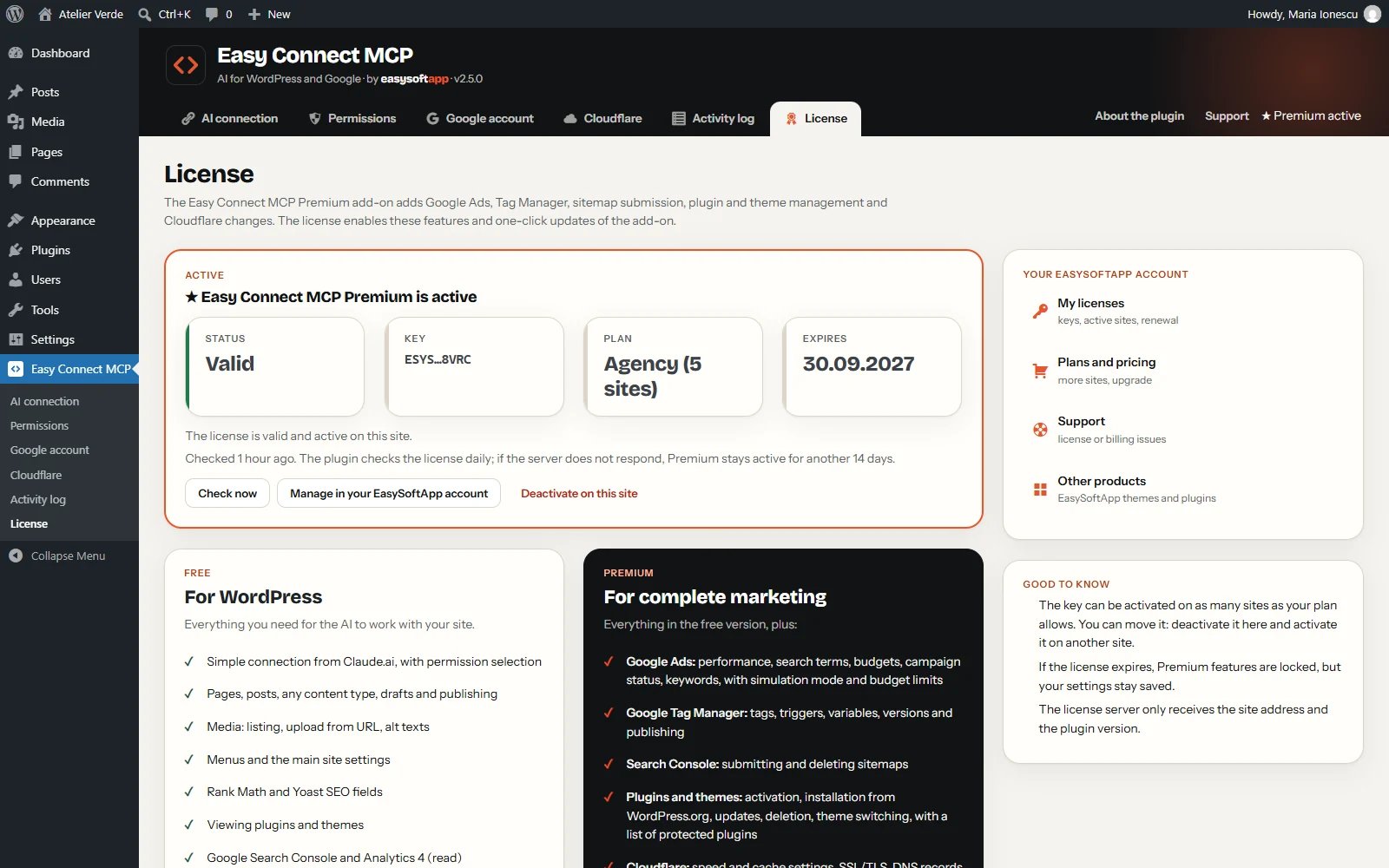
Easy Connect MCP and the Premium add-on are released under the GPL, like WordPress. The free plugin is complete on its own. Your Premium licence unlocks the add-on for the number of sites in your plan, with one-click updates and support. It renews every year at the same price — you can turn automatic renewal off at any time in My Account. See our Licence Terms.
